Are You Accidentally Shortening Your Affordable Gadgets' Lifespan? Common Battery Myths Debunked
Affordable gadget battery health is rarely destroyed by one imperfect charging session. More often, battery capacity declines through a long pattern of heat exposure, charging at inconvenient times, heavy use while plugged in, and repeated habits that users assume are harmless because they have heard the same battery myths for years.
That distinction matters for budget-friendly technology. If a phone, wireless accessory, tablet, laptop, or portable charger is inexpensive, replacing it every time its battery becomes noticeably weaker can erase much of the value of the original purchase. The practical goal is not to turn charging into a laboratory exercise. It is to remove the avoidable stressors and spend money only when a real problem remains.
Start by diagnosing the battery problem, not the charging ritual
Modern portable electronics commonly use rechargeable lithium-ion batteries. They are consumable components: capacity gradually falls as the battery experiences use, charging, discharging, temperature changes, and time. Google’s current battery documentation explicitly notes that temperature, charging and discharging, and device usage all contribute to declining capacity. A charge cycle also does not necessarily mean plugging in from 0% to 100%; partial discharges can add up to a cycle.
That makes several popular rules too simplistic. “Never charge overnight,” “always drain it to zero,” and “never charge above 80%” sound precise, but battery aging is influenced by several variables at once. The useful question is not whether a particular percentage is morally right or wrong. It is whether the charging pattern creates unnecessary heat, keeps the battery at a high state of charge for unusually long periods, or repeatedly pushes the device into conditions that its manufacturer itself tries to manage.
A useful first diagnostic is to separate capacity loss from unusual power consumption. If a phone suddenly loses charge quickly after an operating-system update, a background process may be responsible rather than a permanently damaged battery. If runtime has gradually shortened over months or years, ordinary battery aging becomes more plausible. If the device becomes unusually hot during ordinary charging, heat deserves attention before buying another cable, charger, or battery pack.
Myth 1: You must drain every battery to zero before charging
This idea comes from older battery technologies and does not translate cleanly to modern lithium-ion devices. A lithium-ion battery does not need a deliberate 0% discharge before it can be recharged. In fact, deliberately running a device until it shuts down simply to “reset” the battery can add an unnecessary deep-discharge event.
Partial charging is normal. Google’s documentation illustrates this with a simple cycle example: using a phone from 100% to 50% and then charging it back to 100% represents roughly half of a cycle. That is a more useful mental model than imagining every plug-in as a complete cycle.
Practical rule: If the device needs power, charge it. Do not create a 0%-to-100% ritual unless a particular manufacturer gives a specific calibration instruction for a particular device or battery indicator.
There is an important exception. Battery indicators are estimates, and some devices periodically perform their own calibration procedures. A calibration instruction from the manufacturer is different from the old myth that every normal charging session should begin at zero.
Myth 2: Charging to 100% is automatically damaging
Full charging is not automatically a mistake. Sometimes you genuinely need the extra runtime, such as before a long trip, a workday away from outlets, or a period when a portable charger will not be available. The trade-off is that prolonged time at a very high state of charge can be more stressful than keeping the battery at a moderate level, particularly when combined with heat.
That is why some modern phones provide charging optimization. Google, for example, describes settings that reduce the time a Pixel battery remains fully charged and offers an 80% charging limit on supported devices. The important detail is that these are optimization tools, not evidence that reaching 100% once in a while ruins a battery.
If you routinely finish the day with plenty of charge left, an 80% limit can be a sensible no-cost setting if your device supports it. If limiting the charge leaves you scrambling for power every afternoon, forcing the limit may create more inconvenience than value. In that case, normal full charging can be the practical choice.
Myth 3: Overnight charging always ruins a phone
Overnight charging deserves more nuance than a simple yes-or-no warning. Modern charging systems can reduce or stop charging as the battery approaches its target, and some devices use adaptive charging to avoid spending the entire night at full charge. Google documents both adaptive charging and battery-protection behavior on supported Pixel devices.
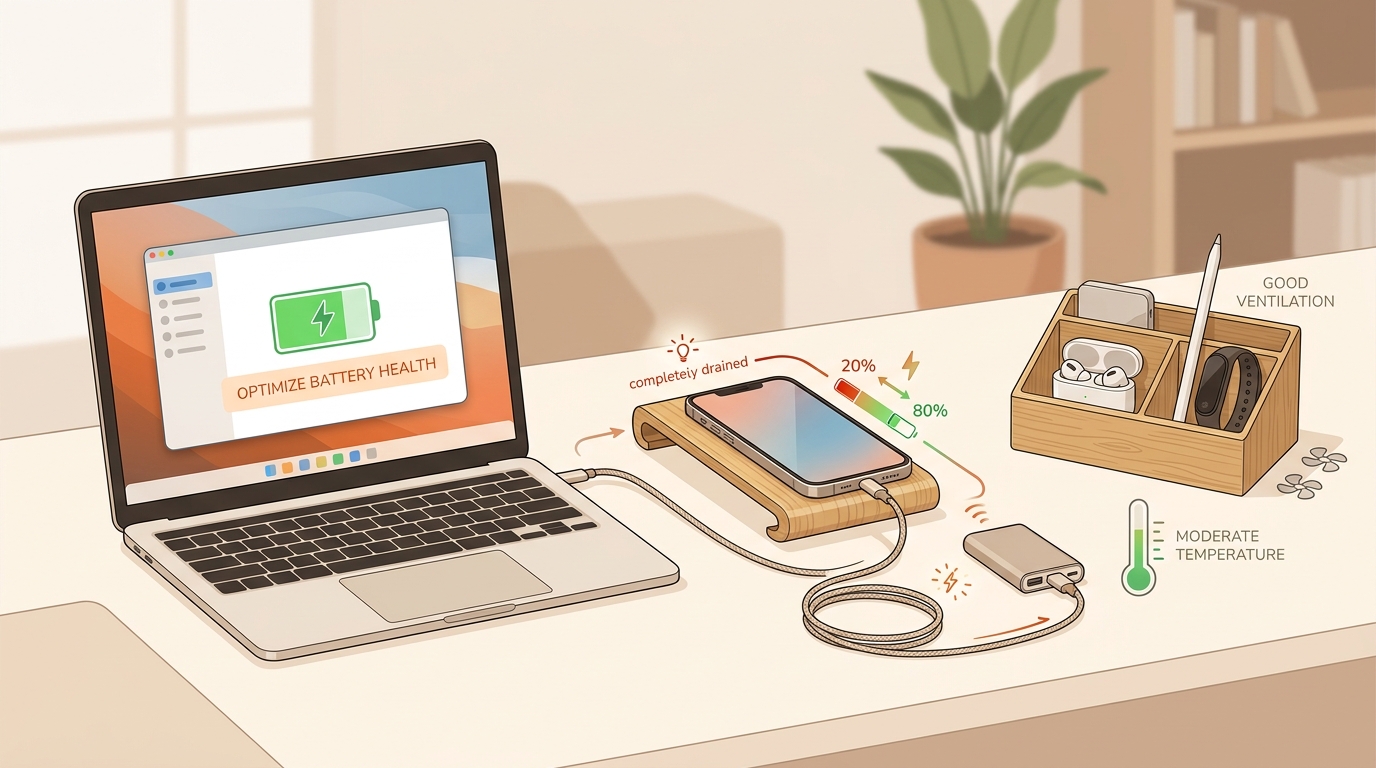
The bigger concern is the combination of long charging sessions and unfavorable conditions. A phone buried beneath bedding, trapped against a heat-producing surface, or running demanding applications while charging can have a different thermal environment from a phone charging on an open desk.
So the low-cost fix is not necessarily “never charge overnight.” It is to keep the device in a reasonably cool, ventilated location and enable the battery-protection or charging-optimization features supplied by the device when they fit your routine.
Myth 4: Fast charging is automatically bad for every battery
Fast charging can increase heat and electrical stress, but “fast charging equals battery damage” is too broad. Devices and chargers are designed as systems, and charging power is often reduced as the battery approaches a high state of charge. The actual effect depends on the device's battery design, thermal management, charging protocol, ambient temperature, and how the device is being used during charging.
The useful decision logic is straightforward. If fast charging causes noticeable heat in a particular situation, reduce the heat-producing conditions first. That might mean avoiding intensive gaming or video processing while charging, moving the device into open air, or using the charging method specified by the manufacturer. If the device remains at a normal temperature and its charging system is behaving as designed, there is little reason to invent a blanket rule that slow charging must always be healthier.
This is also where a portable charger for phone use deserves a little skepticism. A portable power source is not automatically better or worse for battery longevity merely because it is portable. What matters is compatibility, charging behavior, heat, and whether the phone and charger are being used in a sensible environment.
No-cost fixes that actually make sense
Battery care does not have to begin with buying another accessory. In many cases, the most useful interventions cost nothing.
- Reduce heat during charging. Keep a charging device out of direct sunlight and away from thick insulating materials. If it is hot, address the environment before blaming the battery percentage.
- Stop treating 0% as a target. Recharge when convenient rather than deliberately exhausting the battery.
- Use charging optimization when it fits your schedule. If your phone offers adaptive charging or an 80% limit and you usually have charge to spare, consider enabling it.
- Do not run demanding workloads unnecessarily while charging. Gaming, navigation, video processing, and other intensive tasks can add heat.
- Inspect the cable and charging port. Bent connectors, damaged insulation, loose connections, or debris can create charging problems that have nothing to do with battery aging.
- Keep software power settings sensible. Unexpected background activity can make a healthy battery appear unhealthy because the device is consuming more energy.
These steps have an important advantage: they test whether the problem can be solved without spending money. If runtime improves after reducing background activity or heat, replacing the battery or buying a new charging accessory may not be necessary.
When a tool helps — and when buying one is unnecessary
Most people do not need a specialized battery instrument to maintain a phone. A basic diagnosis can usually begin with the device's own battery settings, charging indicator, operating temperature, and observable runtime.
A tool becomes more useful when the symptoms are ambiguous. For example, if two different cables appear to charge at noticeably different speeds, a USB-C power meter can provide information about voltage and current. That does not automatically prove that one cable is safer; it simply turns an assumption into something measurable. Likewise, a simple charging monitor can help identify whether an unexpected power draw is coming from the device or charging equipment.
The value calculation should be simple: if you cannot identify a problem that the tool would help diagnose, do not buy the tool. A diagnostic device is worthwhile when it answers a concrete question. It is unnecessary when it merely provides another number to watch.
What to check before buying another charging accessory
Battery myths can create a second problem: unnecessary purchases. Someone notices reduced runtime, assumes the charger caused it, and immediately orders a new charger, cable, or portable battery. That may solve nothing.
The principle is simple: diagnose first, purchase second. If the existing cable works reliably, the device charges normally, temperatures are reasonable, and the real issue is ordinary battery aging, another accessory may not change the underlying chemistry.
If you do use a portable charger, focus on the usage conditions
A portable charger can be genuinely useful when an outlet is unavailable, but the same battery-care principles still apply. Avoid leaving a phone and portable battery squeezed together in a hot pocket, inside a closed bag, or beneath materials that prevent heat from escaping during a long charging session.
If a portable charger is being used in a cool, open environment and the phone remains at a normal operating temperature, the fact that the power source is portable does not by itself create a special battery hazard. The meaningful variables are the electrical and thermal conditions.
There is also a value trade-off here. If you only need emergency power a few times a year, changing charging habits may be more useful than purchasing another battery accessory. If your daily routine genuinely requires power away from outlets, a portable charger addresses a real logistical need. The distinction is between solving a recurring problem and buying something because a battery myth made the existing setup seem inadequate.
Usage cautions that are easy to overlook
Battery-care advice can become counterproductive when it is followed too rigidly. An 80% target, for example, can make sense for someone who routinely ends the day with charge remaining, but it can be inconvenient for someone who needs every available percentage before a long day away from an outlet. The goal is not to maximize battery purity at the expense of practical use.
Likewise, avoiding every instance of fast charging can be unnecessary if the device and charging equipment are designed to work together and the thermal conditions remain reasonable. And while avoiding extreme temperatures is sensible, normal variation in room temperature should not turn charging into an anxiety-inducing routine.
Who is this approach for? It is especially useful for people who want to keep affordable phones and other rechargeable gadgets in service longer without spending money on a new setup. It is less useful for someone dealing with a swollen battery, repeated shutdowns, a damaged charging port, severe overheating, or other signs of a hardware fault. Those conditions call for device-specific service or replacement guidance rather than generic charging tips.
Practical battery-care checklist
- □ Check whether the problem is battery capacity or unusually high software power use.
- □ Avoid deliberately draining a lithium-ion device to zero just because a myth says you should.
- □ Keep charging devices away from direct heat and poorly ventilated spaces.
- □ Avoid demanding workloads when the device is already getting hot while charging.
- □ Use adaptive charging or an 80% limit when the device offers it and your routine makes the trade-off worthwhile.
- □ Inspect cables, connectors, and ports before assuming the battery is failing.
- □ Use a diagnostic tool only when it can answer a specific charging question.
- □ Before buying a replacement accessory, identify the actual symptom it is supposed to fix.
- □ Treat persistent abnormal heat, swelling, damage, or repeated shutdowns as a hardware concern rather than a charging-habit problem.
FAQ: common battery questions for budget gadgets
Does charging from 30% to 70% count as a full cycle?
No. A battery cycle is based on cumulative energy used rather than simply counting plug-ins. Google's example explains that using 50% of a phone's battery and then recharging it represents about half of a cycle. Partial charging is therefore a normal part of battery use.
Should I always stop charging at 80%?
Not necessarily. An 80% limit can reduce time spent at a high state of charge and may support long-term battery health, but it also reduces immediately available runtime. If you regularly need more capacity, charging to 100% can be a practical choice. If you usually finish the day with plenty left, an 80% limit may be an easy optimization when your device supports it.
Is overnight charging automatically unsafe?
No blanket rule covers every device and environment. Modern phones can incorporate charging controls, but heat and the surrounding environment still matter. Keep the device ventilated and follow the manufacturer's charging guidance, especially if the device becomes unusually warm.
Does fast charging destroy affordable gadgets faster?
Fast charging can contribute to heat, but it is not accurate to say that fast charging automatically destroys every battery. Charging systems manage power dynamically, and the actual effect depends on the device, charger, temperature, workload, and charging protocol.
Should I buy a new charger when battery life gets worse?
Not automatically. First check battery-use statistics, device age, temperature, cable condition, and charging behavior. If the battery has gradually lost capacity over a long period, that may simply be normal aging. A new charger cannot reverse chemical aging inside the battery.
Can a portable charger damage a phone battery?
A portable charger is not inherently harmful simply because it is portable. Compatibility, charging conditions, temperature, and device behavior are more relevant. If the phone becomes unusually hot during portable charging, investigate the cause rather than assuming portability itself is the problem.
Does a phone need to reach 0% occasionally to stay accurate?
Battery percentage readings are estimates, and some manufacturers provide specific calibration procedures. That is different from routinely draining a lithium-ion battery to zero. Follow device-specific calibration instructions when they exist rather than adopting a universal 0% rule.
What the evidence adds up to
The most useful battery-care conclusion is surprisingly modest: you do not need to micromanage every percentage point. The evidence and current device guidance point toward managing the conditions that matter—especially heat, charging duration at high states of charge, demanding workloads during charging, and ordinary battery aging.
That also changes how an affordable gadget should be treated. A budget device does not need a complicated maintenance ritual to remain useful. Start with no-cost changes. If a setting such as charging optimization fits the way you use the device, enable it. If a cable or charging port appears faulty, investigate that concrete issue. If a diagnostic tool would answer a specific question, consider whether the information is worth its cost. Otherwise, leave the purchase alone.
And when a battery eventually loses enough capacity to become inconvenient, that is not proof that the charging routine failed. Rechargeable lithium-ion batteries are consumable components. Extending useful life means reducing avoidable stress while accepting that gradual capacity loss is part of the technology. For budget tech, that balance—careful enough to prevent needless wear, but relaxed enough to avoid needless spending—is the practical definition of good battery maintenance.


Comments
Post a Comment